

Generative AI
Python
LangChain
OpenAI
Hugging Face
Streamlit
Image-to-Story-Teller-AI
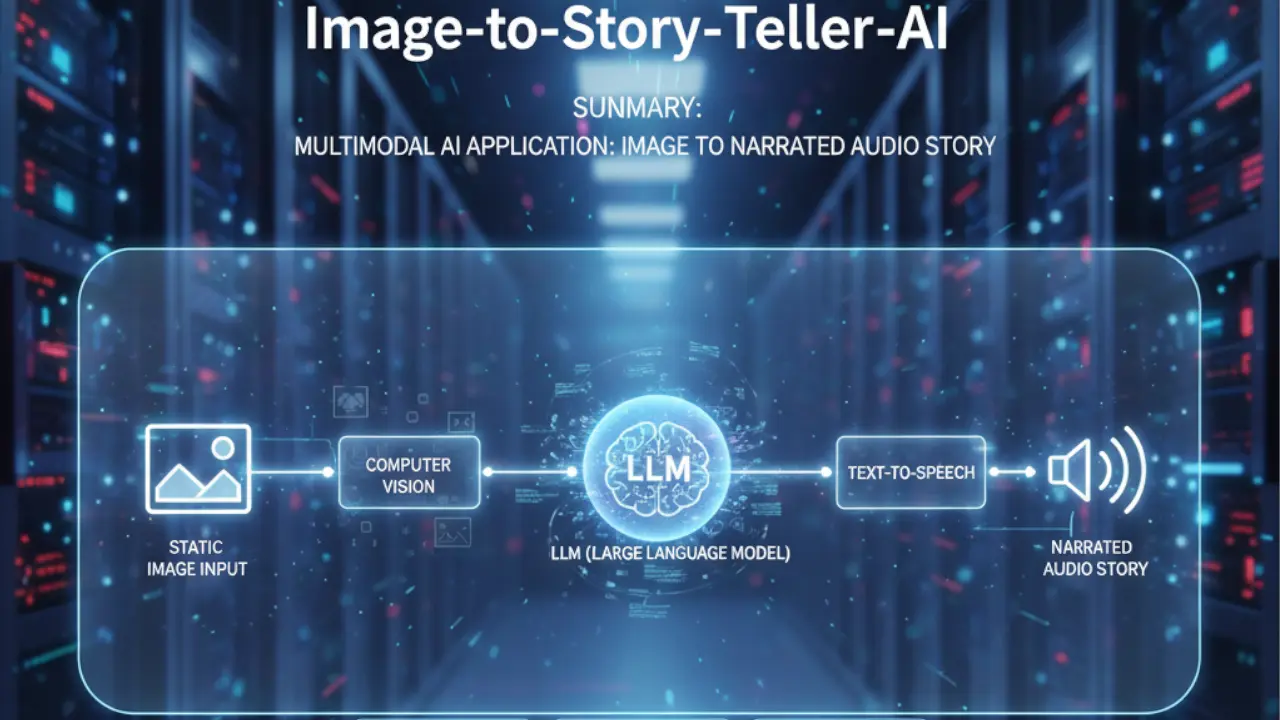
A multimodal AI application that converts static images into narrated audio stories by chaining Computer Vision, LLMs, and Text-to-Speech models.
1. The Challenge
- Context: Social media and accessibility tools often lack "narrative depth." A blind user might hear "Image of a boy in a park," but that lacks emotional engagement. We wanted to build a bridge between Computer Vision (what is seen) and Creative Writing (what can be imagined).
- The Obstacle: The engineering challenge was Multimodal Latency and Integration. We needed to chain three distinct, heavy AI models (Vision, Text, Audio) into a single, seamless pipeline where the output of one strictly dictates the input of the next, without the user waiting 2 minutes for a result.
2. The Solution Architecture
The application uses a Sequential Chain architecture via LangChain, orchestrating three distinct APIs:
- Visual Perception (Image-to-Text):
- Model:
salesforce/blip-image-captioning-large(via Hugging Face Hub). - Role: Extracts semantic meaning from the raw pixel data (e.g., "A dog sitting on a porch").
- Model:
- Narrative Construction (Text-to-Story):
- Model: OpenAI
GPT-3.5-turbo. - Role: Takes the dry caption and expands it into a short, whimsical story using a specific prompt template.
- Model: OpenAI
- Vocalization (Text-to-Speech):
- Model:
espnet/kan-bayashi_ljspeech_vits(Hugging Face). - Role: Converts the generated story text into a natural-sounding audio file.
- Model:
3. Implementation Highlights
A. The LangChain Prompt Template
We didn't just ask GPT to "write a story." We engineered a prompt to ensure the output was short, engaging, and directly relevant to the visual context.
from langchain.prompts import PromptTemplate

# Define the template to guide the LLM's creativity
template = """
You are a creative storyteller.
You will be given a short description of an image: {scenario}
Based on this, generate a heartwarming short story (max 50 words) suitable for children.
"""

prompt = PromptTemplate(template=template, input_variables=["scenario"])

# The LLMChain binds the prompt to the model
story_llm = LLMChain(llm=OpenAI(model_name="gpt-3.5-turbo"), prompt=prompt, verbose=True)
B. Handling Audio Byte Streams
The Hugging Face Text-to-Speech API returns raw audio bytes, not a file. This snippet shows how we handled the binary response to play it immediately in the browser without saving temporary files to the disk (reducing I/O overhead).
import requests

def text2speech(message):
    API_URL = "https://api-inference.huggingface.co/models/espnet/kan-bayashi_ljspeech_vits"
    headers = {"Authorization": f"Bearer {HUGGINGFACEHUB_API_TOKEN}"}

    payload = {"inputs": message}
    response = requests.post(API_URL, headers=headers, json=payload)

    # Return raw binary content for Streamlit to render directly
    return response.content

# Usage in UI
audio_bytes = text2speech(story)
st.audio(audio_bytes, format="audio/flac")
4. Challenges & Overcoming Roadblocks
- The Trap: Model Hallucination & Vague Captions. Sometimes the BLIP model would output very generic captions like "A picture of a room," causing GPT to write a boring story.
- The Fix:
We switched from the
basemodel toblip-image-captioning-large. We also adjusted thetemperaturesetting in the OpenAI API call to0.9, forcing the LLM to be more creative and "fill in the gaps" when the visual description was lacking detail.
5. Results & Impact
- User Experience: The tool reduced the "time-to-content" to under 15 seconds, creating a fully narrated story from a simple upload.
- Accessibility: Provides a novel way for visually impaired users to "experience" images through storytelling rather than just literal descriptions.
- Collaboration: This multimodal system was co-developed with Muhammad Mobeen, integrating his expertise in Hugging Face models with my logic for LangChain orchestration.